The Vibe-Coded App Checklist: 12 Questions Before Your Team Depends On It
Sat, Sep 5, 2026A finance director spent two months of evenings and weekends building software with Claude. Not a toy. A full replacement for his company’s purchasing and accounting tools. It worked. It would save tens of thousands of dollars a year. Then someone asked three questions: who else can log in, where is the data backed up, and what happens when he’s on vacation?
Silence.
How it started
It started with one workflow. A team of junior accountants spent their time keying purchase data from Procurify into Sage 50. I built a tool that did it for them, a rugged C# console app talking to the Sage 50 SDK. It did the work of five full-time people.
The finance director watched that happen and drew the obvious conclusion: if AI could help build that, what else could it build? So he bet fully on AI. He created a Claude account, described what he needed, and kept going. Purchase orders, approvals, vendors, reports. Every evening, a little more.
And it worked. That is the important part. It did what it was supposed to do, on his work PC, with his excel sheets, and looked like any other B2B Saas.
This illusion of “supposed” is also the problem.
Not the same as ready.
An app built with Lovable, Replit, Bolt, Cursor or Claude Code is built to prove an idea. It answers one question: can this work? And the answer, more and more often, is yes.
When making the application available to staff i.e. production, there are different questions:
- Can it survive real people who click the wrong button?
- Can it survive real data, not just the fifty test rows?
- Can it survive real mistakes, including the one that deletes the wrong record?
- Can it survive the builder going on vacation?
AI coding tools are very good at the first question. They rarely volunteer answers to the others, because nobody asked. You prompt for a purchase order screen, you get a purchase order screen. You don’t get a backup strategy, an audit log, or an alert that wakes someone up when the server falls over. Like ordering a car and receiving a beautiful engine on the driveway: impressive, runs great, no brakes.
Is vibe code safe for production?
It can be. I build with AI tools every day, and I would not go back. Internal tools and early products built this way can be run safely in production. The risk is not the AI. The risk is skipping the boring layer around the app.
The numbers say most teams skip it:
- Researchers who audited 200 deployed AI-built apps found that 91% had at least one security vulnerability, and about two thirds of those vulnerabilities were rated critical or high.
- In Retool’s State of AI Governance survey of 307 CTOs, CIOs and CISOs, only 5% were very confident they could see every internal tool running in production. 44% had no clear default for who is accountable when an AI-built tool causes an incident.
Read that second one again. In almost half of companies, when the weekend app breaks, nobody knows whose problem it is.
The vibe-coded app checklist
Here are the twelve questions I ask before a team depends on an app, AI-built or not. They are grouped by what can go wrong. Be honest. Nobody is grading you.
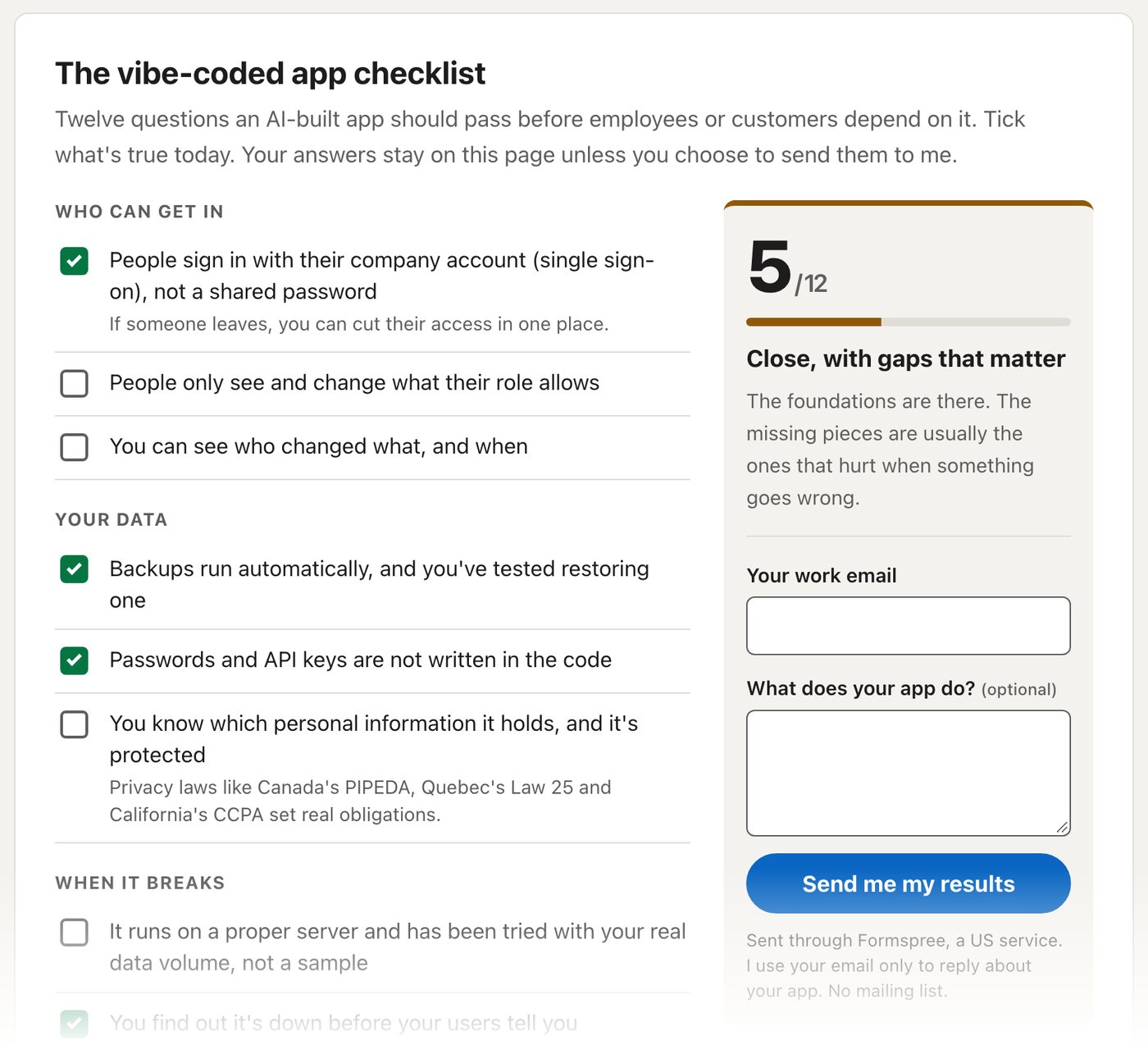
Who can get in
1. Do people sign in with their own account, not a shared password? Single sign-on through Google Workspace/Microsoft or with 2FA means that when someone leaves, you cut their access in one place. A shared password on a sticky note means the intern from 2024 still has the keys.
2. Do people only see and change what their role allows? AI tools happily build an admin screen. They are less eager to check, on the server, that the person calling it is actually an admin. Hiding a button in the interface is not security. It is decoration.
3. Can you see who changed what, and when? The day a vendor’s banking details change, you will want to know who did it. Without an audit log, the answer is a shrug.
Your data
4. Do backups run automatically, and have you tested restoring one? A backup you have never restored is a hope, not a backup.
5. Are passwords and API keys kept out of the code and encrypted? Secrets belong in your hosting provider’s environment settings, not in the repository and never in the browser.
6. Do you know which personal information the app holds, and is it protected? Names, emails, salaries, photos, banking details. Privacy laws like Canada’s PIPEDA, Quebec’s Law 25 and California’s CCPA set real obligations, and “it was a side project” is not a defence anyone has tried successfully.
When it breaks
7. Does it run on a proper server, tried with your real data volume? Fast with fifty rows, slow with fifty thousand. The slow pages and timeouts tend to show up the same week everyone starts relying on the app. Monday morning, 9am, whole team logs in.
8. Do you find out it’s down before your users tell you? An uptime monitor costs almost nothing. Related question: do you know which are the top 10 most time consuming endpoints?
9. Are errors recorded somewhere you can search? “It didn’t work” is not a bug report. An error tracker turns it into a line number.
When it changes
10. Is the code in version control, with its full history? Git, on GitHub or GitLab, owned by the company, not by one person’s personal account.
11. Are changes tested automatically before users see them? AI tools write tests if you ask. Then the tests need to actually run, on every change, before anything reaches production.
12. Could someone other than the author fix it tomorrow? This is the vacation question. If the only person who understands the app is the person who built it, you don’t have a tool. You have a dependency.
How did you score?
- 0 to 4: Normal for an app built to prove an idea. Not ready for real users yet. Start with sign-in, backups and secrets.
- 5 to 8: The foundations are there. The missing pieces are usually the ones that hurt when something goes wrong.
- 9 to 11: Nearly there. A short review would confirm the details.
- 12: Production-grade. Now keep it that way as you and your AI tools keep changing it.
You can also take the checklist interactively and get your score on the spot.
Rewrite or fix?
Most teams expect the verdict to be “throw it away and start over.” In my experience, that is rarely the right call. Most AI-built apps have a sound core and a missing layer around it: permissions, backups, monitoring, tests, documentation. You add the layer. You keep the app, and the way your team built it.
A rebuild only makes sense when fixing would cost more. When that happens, it should come with numbers, not a feeling.
So what happened to the finance director?
The app was good. What it needed was the part nobody prompts for: who can log in, where the data lives, what happens when something breaks, and who picks up the phone. That’s the gap between “it works on my laptop” and “the company runs on it.”
It is also exactly the gap I now help teams close. I review vibe-coded apps against this immediate checklist, plus additional details depending on the domain, write a plain-language report on what’s risky and what can wait, fix the gaps, and look after the app afterwards. The work happens in your own GitHub and hosting accounts. The code stays yours.
One honest caveat: alongside my own projects, I take on two clients at a time, so each gets dedicated time.
If your team built something that is starting to matter, tell me what you built.